How to get the recipe from a TikTok video
Most TikTok recipes live in the video. The caption has half the amounts, or none, and the steps go by in a few seconds. Stovie is an iPhone app that listens to the video, reads the caption and writes the recipe down: ingredients with amounts, numbered steps, cooking time and servings.

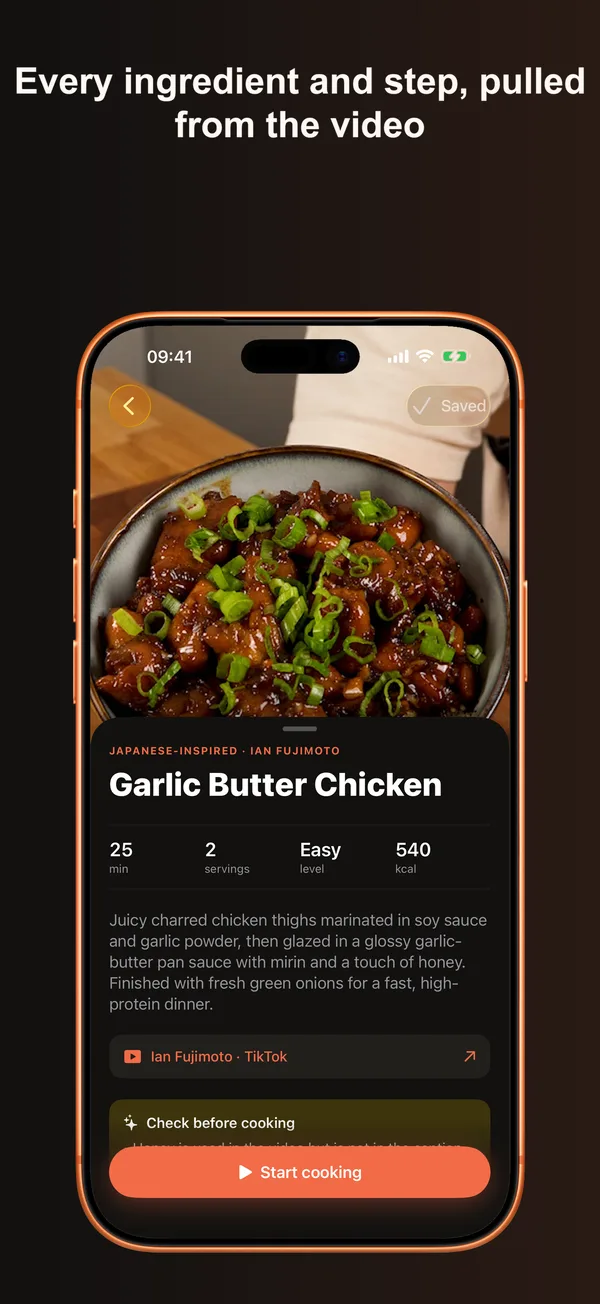
Steps
- Open the cooking video in TikTok and tap Share.
- Pick Stovie in the share sheet. You will see "Added to Stovie".
- Open Stovie. The recipe shows up in your Library, usually in about 30 seconds.
You can also copy the link and paste it into Stovie with the + button.
What you get
- Ingredients with amounts, in metric or US units.
- Steps in order, each one tied to the part of the video that shows it.
- A "Check before cooking" note when the video and the caption don't match, for example an ingredient that is used on screen but missing from the caption.
- Credit to the creator and a link back to the original TikTok.
- One tap to add the ingredients to a shopping list.
FAQ
Is it free?
Yes, up to 5 video imports a week. Stovie Pro removes the limit and adds cooking mode, which plays the matching clip for each step. Pro costs $4.99 a month or $29.99 a year, with a 7-day free trial on the yearly plan.
Does it work if the recipe isn't in the caption?
Usually, yes. Stovie transcribes what the creator says, so spoken amounts and steps make it into the recipe. A video with only music and on-screen text depends on its caption.
Is there an Android version?
Not yet. Stovie needs an iPhone with iOS 26 or later.
Does it work with Instagram and YouTube?
Yes, Instagram Reels and YouTube Shorts work the same way, and so do most recipe websites.